Yes — Pictory’s free trial does add a watermark (Pictory branding) to exported videos. This is confirmed on Pictory’s official help center. When you download a video during the 14-day free trial, it includes a semi-transparent Pictory logo in the corner. However, once you upgrade to any paid plan, all new exports are watermark-free — and you can re-download your trial videos without the watermark after upgrading. Here’s the complete breakdown of what the trial includes, what the watermark looks like, and how to remove it.
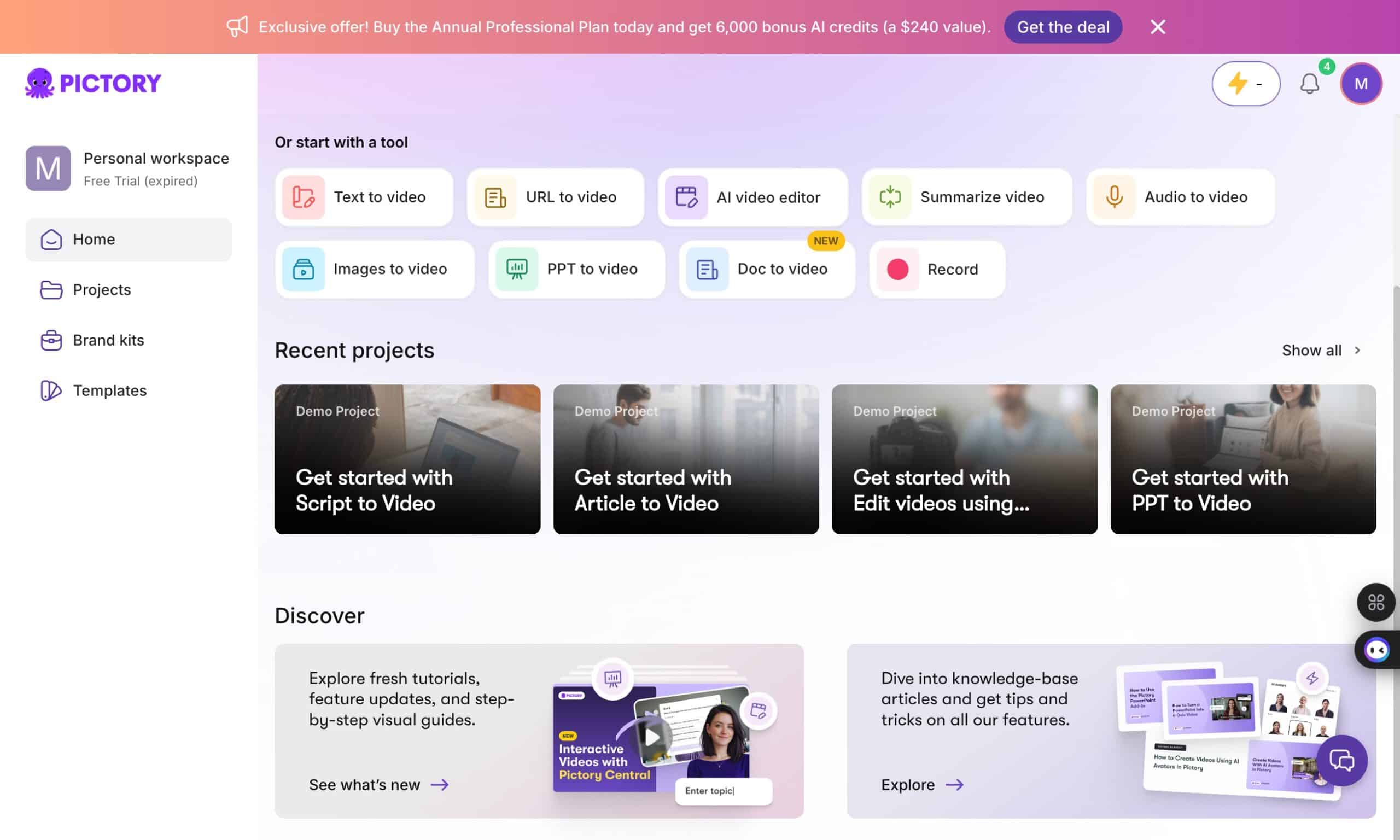
Pictory’s free trial gives you 14 days to test the platform with 3 video projects, up to 15 minutes of total video creation (5 minutes per video max), and access to core features including text-to-video, blog-to-video, AI voiceovers, and auto captions. No credit card is required to start. The only catch: your exports will have a Pictory watermark until you upgrade to a paid plan. After upgrading, you can re-export those same videos without the watermark.
I’ve been using Pictory since Vidnami shut down, and I started with this exact trial. Below I’ll walk you through every detail — what’s included, what the watermark looks like, how to remove it, and how to get 50% off if you decide to upgrade.

Does the Pictory Free Trial Have a Watermark?
Yes. The Pictory free trial adds a watermark (Pictory branding/logo) to all exported videos. This is stated directly on Pictory’s official help center:
“The Pictory watermark/branding is visible on videos downloaded during the Free Trial. After subscribing to any of our paid plans, this watermark will no longer be present.”
What Does the Pictory Watermark Look Like?
The watermark is a semi-transparent Pictory logo that appears in the corner of your video. It’s visible but not overwhelming — similar to how InVideo and Steve AI watermark their free exports. It’s there to identify trial-created content, and it’s automatically removed once you upgrade.
How to Remove the Pictory Watermark
- Subscribe to any paid plan (Starter, Professional, or Teams) — use code SAVE50 for 50% off annual billing
- Open any video you created during the trial in your Pictory dashboard
- Click the “Download” button again — the newly exported video will be completely watermark-free
- Your project files are preserved — you don’t need to recreate anything. Just re-download.
Important: Simply upgrading doesn’t automatically replace your previously downloaded files. You need to re-download each video after upgrading. But the process is instant — just click Download again and the clean version is ready.
Pictory Free Trial vs Paid Plans — Full Comparison
| Feature | Free Trial (14 Days) | Starter ($25/mo) | Professional ($35/mo) |
|---|---|---|---|
| Watermark on exports? | ⚠️ Yes (Pictory branding) | ✅ None | ✅ None |
| Video projects | 3 total | 200 min/mo | 600 min/mo |
| Total video creation | 15 minutes total | 200 min/mo | 600 min/mo |
| Max video length | 5 minutes per video | Varies by plan | Varies by plan |
| Export quality | 720p | 720p | 1080p HD |
| Stock assets | 5M+ Getty + Storyblocks | 5M+ assets | 18M+ assets |
| Premium stock credits | 5 credits | 25/mo | 100/mo |
| AI voiceover | 5 min (standard voices) | 60 min (standard) | 120 min (ElevenLabs) |
| AI credits | 5 | 25/mo | 1,000/mo |
| Upload limit | 1GB | 5GB | 20GB |
| Brand kits | 1 | 1 | 5 |
| Auto captions | ✅ | ✅ | ✅ |
| Text-to-video | ✅ | ✅ | ✅ |
| Blog-to-video | ✅ | ✅ | ✅ |
| Credit card required? | ❌ No | Yes | Yes |
Starter and Professional prices shown are annual billing. Use code SAVE50 to cut them in half — Starter drops to ~$12.50/mo, Professional drops to ~$17.50/mo.
Pictory Free Trial Limitations — What You Need to Know
The free trial is genuinely useful for testing Pictory, but there are specific limits you should know about before signing up:
1. Watermark on All Exports
As covered above, every video you export during the trial has a Pictory watermark. You can still create, edit, and preview videos without watermarks inside the editor — the branding only appears when you download the final export. This means you can fully test the editing workflow and AI features, but your trial exports won’t be publish-ready.
2. 15 Minutes Total Video Creation
You get 15 minutes of total video creation across all 3 projects. Each individual video is capped at 5 minutes maximum. This is enough to test blog-to-video, script-to-video, and the editing workflow, but not enough to produce a full month of content.
3. 3 Video Projects Total
You can create 3 video projects during the trial. Each project can be edited, re-edited, and re-downloaded as many times as you want — but once you’ve used all 3 project slots, you can’t create new ones without upgrading.
4. 5 AI Voice Minutes (Standard Voices)
The trial includes 5 minutes of AI voiceover using Pictory’s standard voice engine. You don’t get ElevenLabs premium voices on the trial — those are reserved for the Professional plan. The standard voices are decent for testing but noticeably less natural than ElevenLabs.
5. 5 Premium Stock Credits
You get 5 premium stock credits for accessing Getty Images and premium Storyblocks content. The rest of the 5 million+ standard stock library is available without credits. The premium credits let you test the highest-quality footage, but you’ll burn through them quickly if you’re not selective.
6. 720p Export Quality
Trial exports are capped at 720p resolution. To get 1080p HD exports, you need the Professional plan. For testing purposes, 720p is fine — but you won’t want to publish trial-quality videos to YouTube or social media.
7. No Audio-to-Video or AI Avatars
Pictory’s newer features — Audio to Video (upload an MP3/WAV and auto-generate a video) and AI Avatars (realistic presenter videos without a camera) — require a paid Professional plan or higher. These aren’t available during the trial.
Does Pictory Have a Free Plan? (No — Free Trial Only)
Pictory does not offer a free plan. The “free” option is the 14-day trial described above. After the trial ends, you need to subscribe to a paid plan to continue creating videos. There is no forever-free tier, no ad-supported plan, and no limited free plan with watermarked exports.
This is different from tools like InVideo and Steve AI, which offer ongoing free plans (with watermarks and limitations). Pictory’s approach is a time-limited full-feature trial instead of a permanent restricted free tier.
If you’re looking for a way to use Pictory long-term at the lowest cost, the best option is Professional annual with SAVE50 at ~$17.50/mo — which gives you 600 video minutes, 1080p exports, ElevenLabs voices, and zero watermarks.
How to Start Your Pictory Free Trial (Step by Step)
- Go to Pictory’s signup page — this link tracks the trial so the SAVE50 discount is ready when you upgrade
- Enter your email and create a password — or sign up with Google for faster access
- Verify your email — click the confirmation link sent to your inbox
- Start creating — you’ll be taken directly to the Pictory dashboard. No credit card prompt, no billing setup.
The entire process takes about 60 seconds. You’ll have access to the full platform immediately after email verification.
What to Test During Your Free Trial
You have 3 video projects — make them count. Here’s what I recommend testing:
Video 1: Blog-to-Video
Click “Blog to Video” and paste the URL of one of your existing blog posts. Pictory will scrape the content, identify key sections, and generate a video with matching stock footage and text overlays. This is the fastest way to see Pictory’s AI in action — and it’s the feature most former Vidnami users love.
Video 2: Script-to-Video with AI Voiceover
Click “Script to Video” and paste a script. The AI will create scenes, match stock footage to each section, and add transitions. Enable the AI voiceover to hear Pictory’s standard narration. Note: the premium ElevenLabs voices are only available on the Professional plan, but the standard voices are good enough to evaluate the feature.
Video 3: Auto-Captions Test
Create a short video and test the auto-caption feature. Captions are essential for social media where most viewers watch with sound off. Pictory’s AI-generated captions are accurate and editable — test them with a real piece of content to see if the accuracy meets your standards.
How to Upgrade After the Trial (with Maximum Discount)
When your trial convinces you (and it likely will), here’s how to get the lowest price — and remove the watermark from your trial videos:
- Click “Upgrade” inside your Pictory dashboard
- Select your plan — Professional is the best value for most creators
- Switch to annual billing — this is critical for the maximum discount
- Enter coupon code SAVE50 at checkout
- Verify the 50% discount appears before completing payment
- Re-download your trial videos — open each project and click Download again. The new exports will be watermark-free.
Pictory Pricing 2026 — Quick Reference
Here’s what each plan costs after the trial, with and without the SAVE50 discount:
| Plan | Monthly | Annual (regular) | With SAVE50 (Annual) | Annual Savings |
|---|---|---|---|---|
| Starter | $29/mo | $25/mo ($300/yr) | ~$12.50/mo (~$150/yr) | Save $150/yr |
| Professional | $59/mo | $35/mo ($420/yr) | ~$17.50/mo (~$210/yr) | Save $210/yr |
| Teams | $199/mo | $119/mo ($1,428/yr) | ~$59.50/mo (~$714/yr) | Save $714/yr |
For a detailed breakdown of every feature and plan comparison, see our complete Pictory coupon code guide.
Pictory Free Trial vs Other AI Video Tool Trials
| Tool | Free Option | Watermark? | Credit Card? | What You Get |
|---|---|---|---|---|
| Pictory | 14-day trial | ⚠️ Yes (Pictory branding) | ❌ No | 3 full projects, all features, 720p |
| InVideo | Free plan (ongoing) | ⚠️ Yes | ❌ No | 10 min/week, watermarked, limited features |
| Synthesia | 1 free video | ⚠️ Yes | ❌ No | 1 short demo video only |
| Steve AI | Free plan (ongoing) | ⚠️ Yes | ❌ No | 1-min videos, watermarked |
| Lumen5 | Free plan (ongoing) | ⚠️ Yes | ❌ No | Limited templates, watermarked |
| Veed.io | Free plan (ongoing) | ⚠️ Yes | ❌ No | 10 min/week, watermarked, 720p |
Key difference: Pictory gives you a time-limited trial with full features but watermarked exports. InVideo and Steve AI offer ongoing free plans, but with more restrictions (lower quality, limited features, permanent watermarks). Pictory’s trial is best for testing the full platform; InVideo’s free plan is best for ongoing casual use.
Frequently Asked Questions
Does the Pictory free trial have a watermark?
Yes. Pictory adds a watermark (Pictory branding/logo) to all videos exported during the 14-day free trial. The watermark is a semi-transparent logo in the corner of your video. It’s removed when you upgrade to any paid plan — just re-download your videos after subscribing and they’ll export without the watermark. This is confirmed on Pictory’s official help center.
How do I remove the Pictory watermark from my free trial videos?
Subscribe to any paid plan (Starter, Professional, or Teams), then open each video in your dashboard and click Download again. The newly exported videos will be completely watermark-free. You don’t need to recreate or re-edit your videos — just re-download them.
Is the Pictory AI free trial really free?
Yes. Pictory’s 14-day free trial requires no credit card and no payment information. You sign up with your email, get 3 video projects (15 minutes total, 5 minutes per video), and can cancel or let the trial expire with no charges. The only limitation is that exports have a Pictory watermark.
Does Pictory have a free plan?
No. Pictory offers a 14-day free trial, not an ongoing free plan. After the trial ends, you need a paid subscription to continue creating videos. There is no forever-free tier, no ad-supported option, and no limited free plan. The most affordable option is Starter annual with SAVE50 at ~$12.50/mo.
How many videos can I make during the Pictory free trial?
You can create 3 complete video projects with a total of 15 minutes of video creation, and each video is limited to 5 minutes maximum. Each project includes full access to stock footage, AI voiceovers (5 min of standard voices), captions, and 720p export with a watermark.
What happens when the Pictory free trial ends?
When your 14-day trial expires, you lose access to creating new videos. Your existing projects remain in your account but you cannot export new ones. To continue, upgrade to a paid plan — use code SAVE50 for 50% off annual billing.
Can I use the Pictory free trial if I used Vidnami?
Yes. Pictory is a completely separate platform from Vidnami. Even if you had a Vidnami account, you can sign up for a fresh Pictory free trial. The workflow will feel familiar — text-to-video and blog-to-video work similarly but with better AI.
What’s the best Pictory coupon code after the free trial?
SAVE50 gives 50% off all annual plans — the highest verified discount available. Professional annual drops to ~$17.50/mo with SAVE50. See our Pictory coupon code guide for step-by-step instructions.
What’s the Pictory free trial duration?
The Pictory free trial lasts 14 days from the date you sign up. No credit card is required. After 14 days, you’ll need to upgrade to a paid plan to continue creating and exporting videos.
Can I export Pictory free trial videos without a watermark?
Not during the trial. All videos exported during the 14-day free trial have the Pictory watermark. To get watermark-free exports, you need to subscribe to a paid plan. After subscribing, open your trial projects and re-download them — the new exports will be clean, with no watermark.
Is Pictory’s free trial credit card required?
No. Pictory’s free trial does not require a credit card. You sign up with just your email address. You won’t be charged unless you choose to upgrade to a paid plan.
What are the Pictory free trial limitations?
The main limitations are: (1) 3 video projects total, (2) 15 minutes total video creation, (3) 5 minutes max per video, (4) watermark on exports, (5) 720p quality, (6) 5 standard AI voice minutes, (7) 5 premium stock credits, (8) 1GB upload limit, and (9) no Audio-to-Video or AI Avatars (those require Professional plan).
Disclosure: This page contains affiliate links. If you purchase through our links, we may earn a commission at no extra cost to you. We only recommend tools we’ve personally tested.